
Common Adjustable Desk Problems and a 10-Minute Self-Check Routine
 |
|

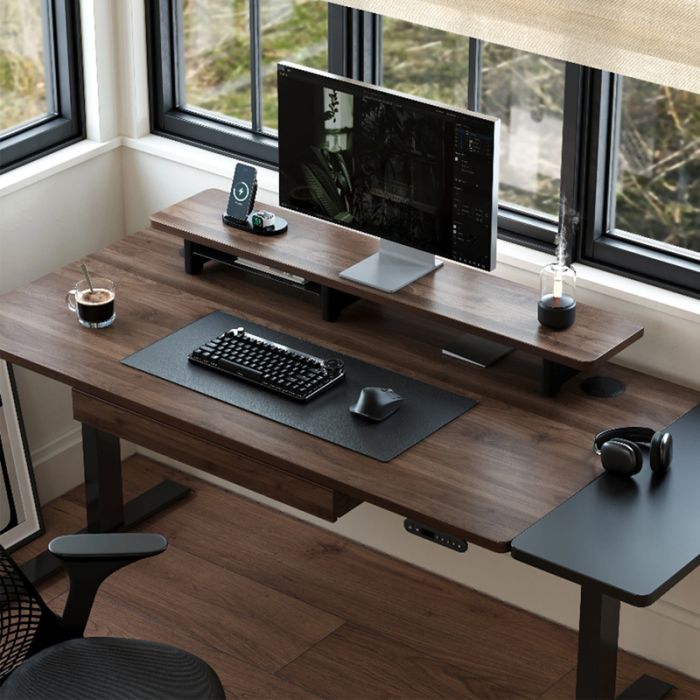
Height-adjustable desks have transformed how we work — offering flexibility, health benefits, and better posture. Yet, even the Best Standing Desk can show issues over time if not maintained properly. From uneven movement to motor noise or unstable tabletops, small issues can quickly affect comfort and focus. Luckily, most common problems have simple solutions that anyone can perform in under ten minutes. This guide breaks down frequent desk issues and provides a short self-check routine to keep your workspace running smoothly and efficiently.
Best Stand Up Desk: Typical Adjustment and Stability IssuesEven the Best Stand Up Desk can develop alignment or stability problems after long use. Signs include uneven lifting, wobbling at higher heights, or inconsistent speed between legs. Often, these issues arise from minor imbalances in the frame or loose bolts. Over time, daily movement and micro vibrations can loosen connections between the legs and crossbars. Start by checking all visible screws and tightening them gently with the proper tool — usually a hex key. If the wobble persists, inspect the floor: uneven surfaces can throw off balance. A small furniture leveler or anti-slip pad can instantly restore stability.
Height Adjustable Desk: Troubleshooting Power and Reset ProblemsFor a Height Adjustable Desk that suddenly stops moving or displays an error code, don’t panic. Most models rely on sensors and limit switches that can get temporarily misaligned. First, unplug the desk for 30 seconds and then plug it back in. Next, hold the down button until the desk lowers completely — keep holding for another 5–10 seconds to perform a manual reset. This process reinitializes the control box and often solves 80% of movement-related issues. Check also for loose cables or blocked legs. Dust accumulation around the motor housing can lead to overheating, so a gentle cleaning every few months prevents failure.
Electric Adjustable Desk: Common Motor and Control Panel FixesModern Electric Adjustable Desk systems use compact motors that operate smoothly but depend on consistent power. Flickering displays or one leg rising faster than the other usually indicate uneven power delivery or sensor miscalibration. If your desk uses dual motors, ensure both are securely connected to the control box. Inspect cables for pinching, especially if they route through sharp edges or metal brackets. When motors emit grinding noises, apply a light silicone spray to the lifting columns — never use oil-based lubricants, as they attract dust. Keeping the power source stable (avoid sharing outlets with high-load devices) also helps prolong motor life.
Standing L Desk: Managing Cable Flow and Structural StressA Standing L Desk provides generous workspace but introduces cable and balance challenges. One side may bear more load due to monitors or accessories, leading to uneven wear on actuators. To fix this, rearrange equipment to distribute weight evenly. Use cable management trays under each segment and leave slack for movement when adjusting height. Some users notice mild flexing or creaking at the corner joint; tighten the connecting plates and check cross-supports monthly. When properly maintained, L-shaped adjustable desks remain smooth and stable for years, even under dual-screen setups.
Executive Standing Desks: Keeping Premium Workstations in ShapeExecutive Standing Desks often feature heavier tops, including thick hardwood or glass. While stylish, these materials add stress to the lifting columns. Always confirm that the total load, including monitors and accessories, doesn’t exceed the rated capacity. If the desk lifts unevenly or struggles at higher levels, lighten the load or adjust the control box sensitivity settings. High-end desks usually allow manual recalibration of lifting columns through a hidden reset combination on the keypad. Consult your manual or online support documentation for exact steps. Periodic lubrication of moving parts and cable inspections keep these luxury models working as intended.
Standing Desk Wood: Maintaining Natural MaterialsWood adds warmth and style to a workspace, but a Standing Desk Wood surface needs special care. Seasonal changes can cause minor expansion or contraction, leading to squeaks or gaps. Use a mild, non-acidic cleaner and avoid prolonged moisture exposure. Small felt pads under heavy objects can prevent denting. When attaching monitor arms or clamps, ensure proper pressure distribution — overtightening can crack wooden veneers. A light coat of natural oil every few months helps maintain luster and prolongs the desk’s lifespan.
Vernal Standing Desk: Reliability Through Regular MaintenanceThe Vernal Standing Desk is known for smooth motion and solid build, but like all adjustable furniture, it benefits from a short maintenance routine. Make sure presets function correctly by cycling through them weekly. Keep cables free from tension, especially near the desk’s legs. If you notice speed inconsistency, run a full recalibration sequence as described in the manual. Simple attention to these details can help your standing desk last much longer while maintaining its original comfort and precision.
Vernal Reviews: Learning from User ExperiencesBefore attempting repairs or modifications, it’s smart to review what other users have encountered. Vernal Reviews and similar customer reports can highlight common small issues — from motor resets to frame tightening tricks. Reading through shared experiences not only saves time but also prevents accidental damage. Often, community advice includes shortcuts or practical hacks to improve daily operation, such as adding cable clips to reduce strain or marking optimal height presets for faster transitions.
10-Minute Self-Check Routine for All Adjustable DesksPreventive care is simple. Set aside ten minutes every few weeks to run through this quick self-check:
- Step 1: Wipe down all surfaces, removing dust from motors and control boxes.
- Step 2: Tighten visible bolts and screws using the correct tools — never overtighten.
- Step 3: Verify power connections. Unplug and replug to ensure stable contact.
- Step 4: Lower the desk completely and hold the down button to reset calibration.
- Step 5: Listen for abnormal motor noises while cycling through height ranges.
- Step 6: Test preset buttons and verify even lifting on both sides.
- Step 7: Inspect cable management paths for pinched or twisted wires.
- Step 8: Check desk balance using a small bubble level or smartphone app.
- Step 9: Examine the floor area; add anti-slip pads if necessary.
- Step 10: Finish with a light surface clean and reapply oil to wood surfaces if needed.
Most mechanical and electrical issues can be handled at home, but there are exceptions. If your desk fails to respond after multiple resets or if electrical smells or sparks occur, contact professional support immediately. Avoid opening sealed control boxes — doing so can void warranties or cause electrical hazards. If motors operate but the frame does not move, internal gear damage may be the cause, requiring a replacement kit.
Conclusion: Small Maintenance, Big PayoffOwning an adjustable desk is an investment in comfort and productivity. Whether you’re using an Electric Adjustable Desk, a Standing L Desk, or a Vernal Standing Desk, small, regular self-checks ensure smooth performance and long-term reliability. With consistent care, your desk will stay silent, stable, and responsive — keeping your workspace efficient and professional for years to come. Don’t wait for issues to grow; a 10-minute routine today prevents hours of frustration tomorrow.
Post
| By | google_user_10338 |
| Added | Dec 2, 2:51 |
Tags
Rate
Archives
Categories
Most Viewed
-
 Find Out the Best Media Streamer That...
Jul 30 '2016, 7:55
Find Out the Best Media Streamer That...
Jul 30 '2016, 7:55
-
5 Closely-Guarded fifa 17 demo review...
Nov 11 '2016, 1:30
-
 Premium sex dolls are better
Mar 18 '2023, 2:15
Premium sex dolls are better
Mar 18 '2023, 2:15
-
Save Big on CS:GO Prime Accounts and...
May 20 '2023, 3:40
-
 How to Protect your Village in Coin...
Jan 16 '2018, 14:35
How to Protect your Village in Coin...
Jan 16 '2018, 14:35
Most Discussed
-
 Experience unparalleled companionship...
Nov 17, 2:39
Experience unparalleled companionship...
Nov 17, 2:39
-
 Increase the significance of your...
Nov 4 '2022, 0:35
Increase the significance of your...
Nov 4 '2022, 0:35
-
 5 Tips To Guarantee The High ROI Of...
Aug 26 '2021, 4:00
5 Tips To Guarantee The High ROI Of...
Aug 26 '2021, 4:00
-
Packers and Movers Pune @...
Feb 8 '2017, 1:15
-
5 Modern ways of Facebook hacking and...
Nov 23 '2016, 6:24